
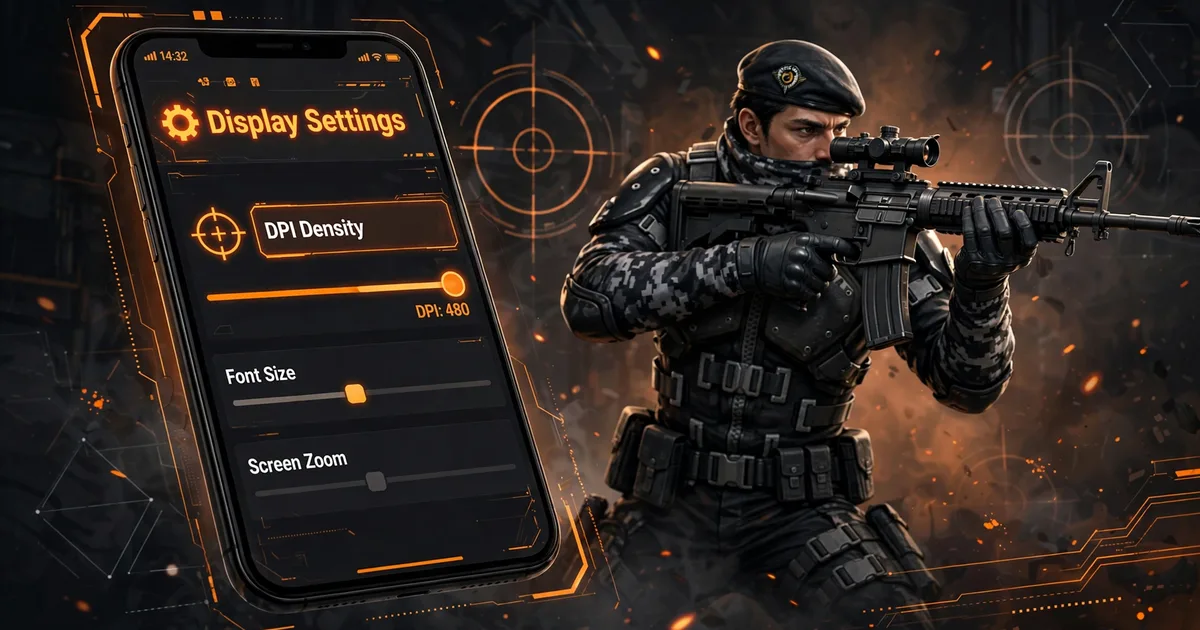
Best DPI Settings for Free Fire Headshots (Macro Space Guide)
DPI is the hidden multiplier sitting underneath every sensitivity number you've ever tuned. Two players can run identical sensitivity sliders and have completely different aim, because one of them changed their DPI. If your drag headshots feel either sluggish or uncontrollably twitchy no matter what the sliders say, DPI is the layer you're missing. Here's what it does, the safe ranges, and how to pair it with sensitivity in Macro Panel APK. Make sure you have the app from the Macro Panel APK installed first.
Key takeaways: DPI controls how far your crosshair travels per millimeter of thumb movement. In Macro Panel APK, start at 500 (up from the ~400 factory default), adjust in 20-point steps, and lower sensitivity slightly as DPI rises, they're a seesaw. Re-apply after every reboot; most phones reset DPI at startup.
What DPI actually does
DPI (dots per inch) sets how much screen distance your touch input covers. At higher DPI, the same 1cm thumb swipe moves the crosshair farther, aim feels faster, and drag headshots need shorter, quicker swipes. At lower DPI, the same swipe covers less ground, aim feels slower and more deliberate. Think of sensitivity sliders as the volume knob and DPI as the amplifier behind them: the amplifier changes what every knob position means.
That's why DPI and sensitivity must be tuned together: raising DPI with sensitivity maxed double-counts the speed increase and produces the classic "drunk crosshair" feeling. Strong players pair moderately high DPI with controlled sensitivity, fast drags that still stop on target.
Safe DPI ranges by phone
Most phones ship with DPI between roughly 360 and 440 (manufacturers pick for readability, not gaming). The useful gaming band sits above that, but there is a ceiling where the interface breaks down: Once you have this down, move on to best sensitivity settings.
| Range | DPI | Notes |
|---|---|---|
| Factory default | ~360-440 | Readable UI, sluggish drags for most players |
| Sweet spot | 480-550 | Fast drags, UI still usable, start here |
| Aggressive | 560-650 | Very fast; UI gets tiny, overshoot risk rises |
| Avoid | 650+ | Interface breaks, apps misbehave, no real gain |
Our recommended starting point: 500. It's far enough above stock to transform drag speed, but low enough that your phone stays pleasant to use outside the game. From there, adjust in 20-point steps based on feel, not in hundreds, DPI is powerful and small moves matter. Pair this with headshot tips for the complete setup.
How to set DPI in Macro Panel APK
- Open the panel's DPI tool. In Macro Panel APK, go to the DPI / resolution section from the main screen.
- Note your current value first. Write down the factory number, this is your escape hatch if anything feels wrong.
- Set 500 and apply. The screen may flicker for a second as the display density changes; that's normal.
- Launch Free Fire from the panel and test drags in the training ground before touching sensitivity.
If your phone's panel build lacks a DPI tool, the fallback is Android's own Developer Options → Smallest width (enable developer options by tapping Build number seven times). Smaller width = higher effective DPI. The panel route is preferable because it keeps the change inside your gaming setup rather than altering the whole system.
Pairing DPI with sensitivity: the seesaw rule
DPI and sensitivity multiply, so when one goes up, the other should come down slightly. Practical method: in Macro Panel APK, set DPI to 500 first, then re-run the sensitivity tuning drill from our sensitivity guide. Most players find their ideal General sensitivity drops 5-10 points after raising DPI, the drags that needed Sensitivity 100 at stock DPI now land cleanly at 90-95. If you raise DPI and keep everything else maxed, you'll overshoot every head on the map.
Test the pairing with one question: can I drag chest-to-head in one comfortable motion and stop on the head? Overshooting? Drop DPI or sensitivity. Running out of thumb travel? Raise one. Change only one at a time.
The reboot reset (and the 10-second fix)
Many phones silently restore factory DPI on every restart, wiping your panel-set value, you'll know it happened when aim feels "off" after a reboot. The fix is routine: open Macro Panel APK after every restart and re-apply DPI before launching the game. Add it to your pre-game checklist next to confirming the overlay is visible.
Warnings worth heeding
- Don't chase extreme DPI. Past ~650 the UI becomes unreadable, some apps render incorrectly, and aim gains flatten out, all pain, no benefit.
- Keep your factory number written down. If a value ever makes the phone unpleasant, reverting takes ten seconds when you know the original.
- One variable at a time. New DPI + new sensitivity + new HUD in one session teaches you nothing. DPI first, then sensitivity, then play.
DPI for different playstyles
Rushers who live in close-range SMG fights usually prefer the upper half of the sweet spot (530-550) for the fastest first drag; sniper players often sit lower (480-500) for calmer scoped tracking. Start at 500 and let ten minutes of training-ground testing pick your number, your playstyle is the final input no guide can supply.
FAQs
What is DPI in simple words?+
DPI (dots per inch) controls how far your crosshair moves for each millimeter your thumb travels. Higher DPI means the same swipe covers more screen distance, your aim feels faster and drag headshots need shorter swipes. It multiplies everything your sensitivity sliders do.
Can high DPI damage my phone?+
No. DPI is a software display setting, not a hardware overclock, it cannot damage your screen or processor. The real risk of extreme values is usability: the interface can become unreadably tiny and some apps misbehave. Stay within the ranges in this guide and you can always revert.
Why does my DPI reset after restarting the phone?+
Many phones re-apply the manufacturer's default DPI at boot, discarding panel-set values. The fix is routine: open Macro Space after each restart and re-apply your DPI before launching Free Fire. It takes ten seconds once it becomes habit.
What is the best DPI for drag headshots?+
Most players land between 480 and 550, paired with General sensitivity around 90-95. Start at 500, test drags in the training ground, and move in 20-point steps. If drags overshoot the head, drop DPI by 20; if you run out of thumb travel, raise it by 20.

Viktor Kane , Gaming Performance Analyst
Viktor Kane has benchmarked 300+ gaming utility apps on real Android devices since 2020. He specializes in Free Fire performance tools, testing sensitivity panels and macro utilities on a rack of budget to flagship phones before any download button goes live.